

What Stay Casino offers on a phone
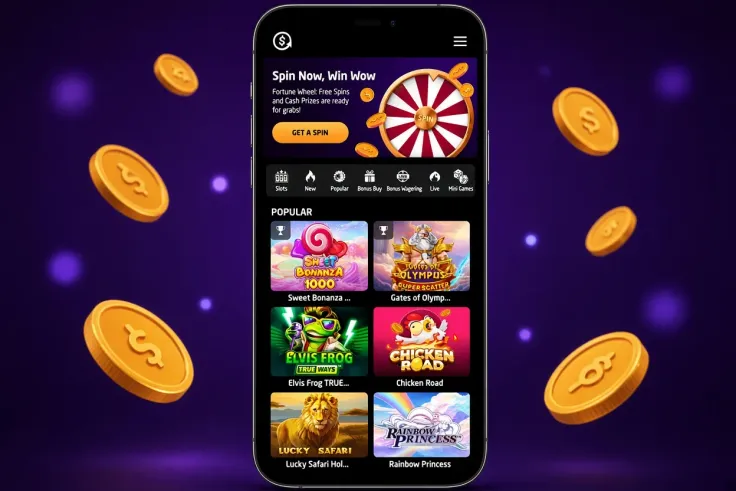
The mobile site is the only phone option. You open Stay Casino in your browser, log in or register, and play there. A shortcut on your home screen gives you one-tap access, but it is a link to the website, not a separate app.
The platform pages exist because many players look for an app first. The iPhone app page explains what an iPhone user gets, which is the browser route with a home screen shortcut. The Android app page does the same for an Android phone. Neither describes a download, because there is none to describe. Both are short guides to the same route, written for the browser each page names.
In general, an app is installed and updated through a store, while a browser route has nothing to install. With Stay Casino the browser route is the one that exists, so the choice is not between an app and a website but between ways of opening the website: typing the address, using a bookmark or using a home screen shortcut. The shortcut opens the same site in the browser, so the page you see and the login both come from the website.
Stay Casino also runs a live casino, and its range includes games from NetEnt, Play'n GO, Evolution, Quickspin, Ezugi, Endorphina, Yggdrasil, Playson, BGaming, Novomatic, Gamomat and SmartSoft. Which games suit a phone is a matter of how they look on your screen. Live games in particular show video, so a steady connection and a readable screen matter more than they do for other kinds of game. Before you rely on a game, open it on your phone and check that the controls are easy to use.
How the options differ

All these pages lead to the same place, the website in your browser, so the differences are about the phone and not about the casino.
The mobile version page is the general route: it covers the browser steps and the practical points that apply to any phone, such as mobile data, screen locks and logging out. The iPhone page is written for Safari, with the home screen shortcut made through the browser's share option. The Android page is written for Chrome, with the shortcut made through the browser menu.
Phones differ in how they protect an account. An iPhone and an Android phone each offer a screen lock, fingerprint or face unlock and their own tools for showing how much time you spend in an app or browser. The platform pages point out the ones worth switching on.
18+ · T&Cs apply
How to choose where to start
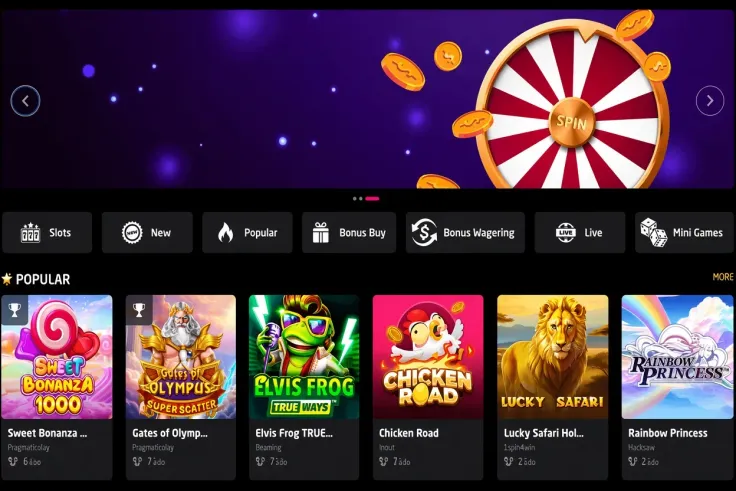
Pick the page that matches your phone. If you use an iPhone, start with the iPhone page. If you use an Android phone, start with the Android page. If you are not sure, or you use a tablet or a different browser, the mobile version page is the general guide.
A few practical points help whichever page you choose:
- Use your own mobile data or a network you trust when you log in or pay.
- Keep your browser and your phone's system up to date.
- If you plan to try the live casino, test it on your connection first, since video needs a steadier signal than a page of text.
- Decide before you start whether you want a home screen shortcut. It saves typing the address, and it is easy to remove later.
If other people use your phone, do not let the browser save your password, and think twice about leaving a shortcut where anyone can tap it. Your screen lock only protects the account while the phone is locked.
Practical tips

Never install an app or file from an unknown source, and do not follow a link in a message or an advert that says it is the Stay Casino app. Stay Casino has no app, so anything of that kind did not come from Stay Casino.
Lock your phone, keep your password private and log out on a shared device. If the account offers deposit limits or time-outs, set them before you play, because a phone is always with you and it is easy to lose track of time.
The payment methods are Visa, Mastercard, Maestro, Skrill, MiFinity, Neosurf, Flexepin, Paysafecard, CoinsPaid (crypto) and Bank transfer. Before you pay from a phone, check the table on the deposits page to see which of them are marked for deposits and which for withdrawals.
If you need help, Stay Casino's support is reached through live chat or email and is available 24/7. For the payment steps from a phone, the deposits page explains the route, and the withdrawals page explains the payout. The processing time is: Approval 1–2 days; e-wallets and crypto instant after approval; bank transfer 3–5 business days. Read it before you request a payout from your phone, so the wait is no surprise.